
Plan and build
Start with a clear brief, choose suitable AI tools and use practical prompts as you develop.
✓ For complete beginners✓ Instant digital download
Book price: £5.99 · Recommended retail price: £5.99 · Read a complete sample chapter (PDF)
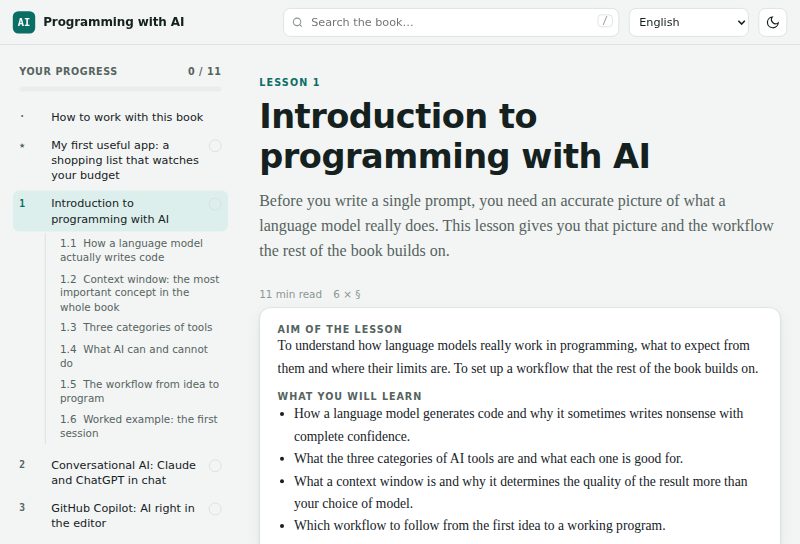
A step-by-step interactive book. You describe what you want, AI writes the code, and you learn to check it, fix it and put it online.

£5.99 one-off payment
Choose any 1, 2 or 3 of 20 languages. You receive each selected edition as an interactive PDF, plus the Digital Product Licence, Prompt Library and START HERE file.
⚡ Instant download after payment · 🔒 Secure payment by SumUp
Not sure yet? Try lesson 1 free – build a working shopping-list app →For comparison: a one-day live AI training course in the UK typically costs around £300.
Meet Daf. He had never written a line of code. With Programming with AI you describe what you want, AI writes the code, and you learn to test it, fix it and publish it.
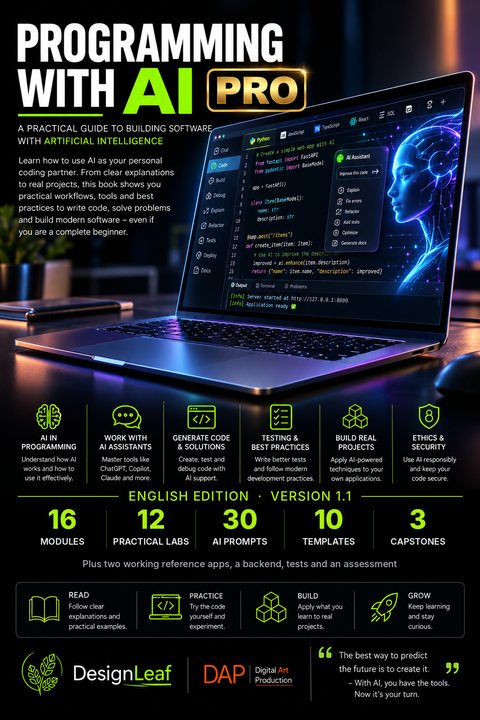
16 modules, 12 labs, 30 prompts, 10 templates, 3 capstones, two complete reference apps, backend source code, tests and assessment.
Choose up to 3 of 20 language editions of this book and get the complete English Programming with AI PRO v1.1 package in the same purchase.
Examples of where you can apply the method from the book. The book itself works through the shopping list and a job-tracking example; the ideas below are for your own projects.
Wants a simple app that turns job details into a clear customer quote.
With the book: Learns how to describe the app to AI step by step, test the results and run it on a phone.
Loses time tracking orders and stock in notebooks and spreadsheets.
With the book: Builds a small order and stock tracker shaped exactly around how the shop works.
Has never written a line of code and does not know where to start.
With the book: Follows the chapters from zero to a first working program, with checks after every step.
Has an idea for a small tool other people would pay for.
With the book: Learns how to plan, build, test and launch it, then prepare it for selling online.
Repeats the same spreadsheet and report tasks every week.
With the book: Uses AI to write scripts that automate the boring parts, safely and step by step.
Wants real projects to show instead of just certificates.
With the book: Builds a small portfolio of working programs and understands how each one works.
Juggles tenants, rent dates and repairs across several messages and notes.
With the book: Builds a simple tracker for tenants, payments due and maintenance jobs.
Keeps client jobs, visits and notes in their head or on paper.
With the book: Creates a job diary with client records, visit schedules and photos in one place.
Wants interactive exercises that fit the class, not a generic app.
With the book: Builds quizzes and practice tools that check answers and show progress.
Plans posts, ideas and deadlines across too many apps.
With the book: Makes a personal content planner that works exactly the way they publish.
Wants the family calendar, chores and shopping list in one place.
With the book: Builds a small family organiser that everyone at home can use.
Takes bookings and menu changes by phone and handwritten notes.
With the book: Creates a simple booking and menu page that is easy to update.
Has sensors and gadgets at home but no software to connect them.
With the book: Uses AI to write the code that reads, logs and displays the data.
Needs a working prototype before spending money on developers.
With the book: Builds a first version to test the idea with real users.
Wants to learn something new and build useful things for themselves.
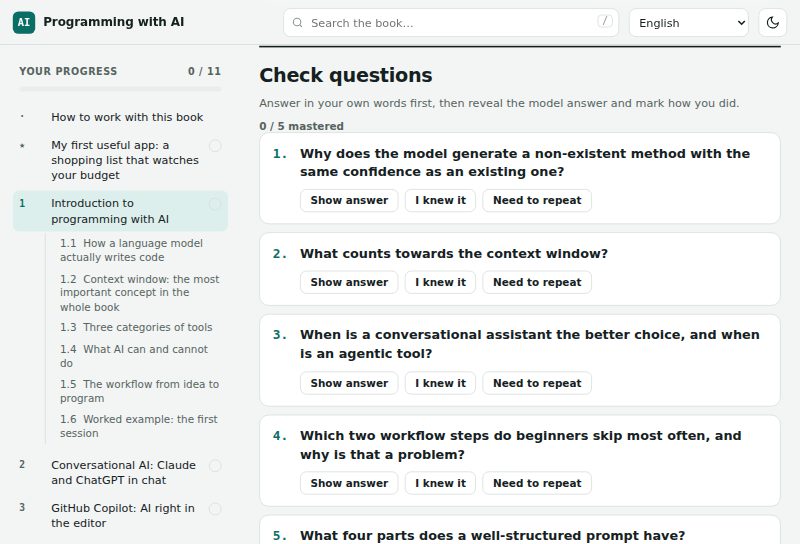
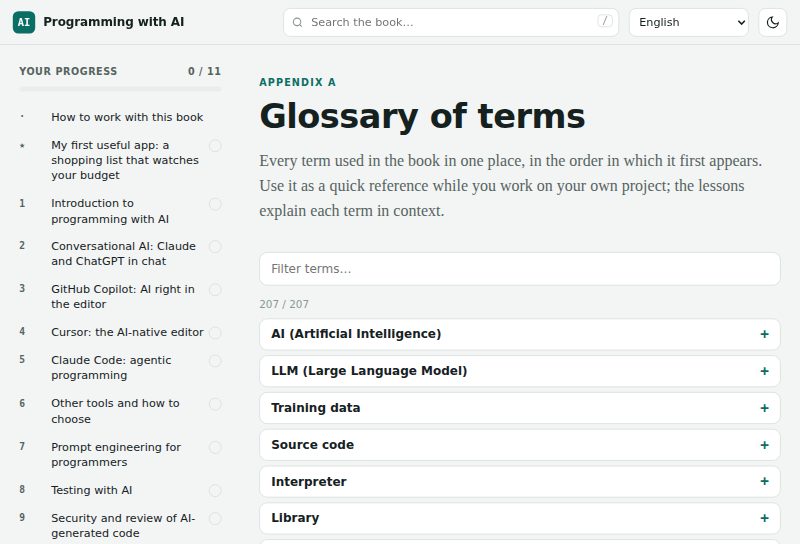
With the book: Learns at their own pace with clear chapters, a glossary and review questions.
Uses AI for code but does not always understand what it writes.
With the book: Learns to read, test and debug AI-generated code instead of just copying it.
English, Czech, Slovak, German, French, Spanish, Italian, Portuguese, Dutch, Polish, Hungarian, Romanian, Bulgarian, Russian, Ukrainian, Turkish, Swedish, Danish, Norwegian and Finnish.
Payment is handled securely by SumUp. Right after payment you can download your selected PDF editions. Choose any 1, 2 or 3 languages and the total remains £5.99.
Change a quantity, a price or the budget and watch it recalculate. Tick an item as bought: the total stays the same, exactly as the rules in the lesson say.
| Item | Qty | Price £ | Line £ | Bought |
|---|
On your phone? Play with the demo now and do the full lesson later on a computer – it takes about 30–45 minutes.
Today you will build your own small program. You add the things you need to buy, how many and roughly what they cost. The program adds up the total, and then you teach it to warn you when you go over your budget. AI helps you write the code. You decide what it should do, and you check that it really does it.
About 30–45 minutes on a computer. Nothing to install and the app itself needs no account; the AI assistant you use (for example Claude or ChatGPT) may ask you to sign in.
Shopping is something almost everyone does, which makes it a perfect first project. You do not need to understand programming to tell whether a shopping list works: you type bread, milk and eggs, you see the total, and you tick things off as you buy them. The result is something you can actually use this week.
Before you open any AI tool, finish these three sentences on paper or in a note. This is the most important programming skill in the whole book: turning a wish into concrete rules.
The first version is a single file that opens in your web browser. There is no programming environment to install, no server and no login. Copy the prompt below into your AI assistant (Claude, ChatGPT or similar) exactly as it is.
Prompt: my first shopping list
Help me build my first simple app. I am a complete beginner.

Create a shopping list in a single file called shopping.html that I can open in my web browser. Put all the styles and all the JavaScript inside this one file, with no external libraries.

I want to enter the item name, the quantity and the price of one item. A button adds the item to the list. Show the price of each line and, at the bottom, the total for the whole shop. Let me delete an item and mark it as bought. Marking an item as bought must not change the total.

Reject an empty name, invalid numbers, a negative price and a quantity of zero or less. Accept both a decimal point and a decimal comma in the price.

First explain the plan briefly. Then write the complete code and the exact steps to save and open the file. Do not add any other features yet.
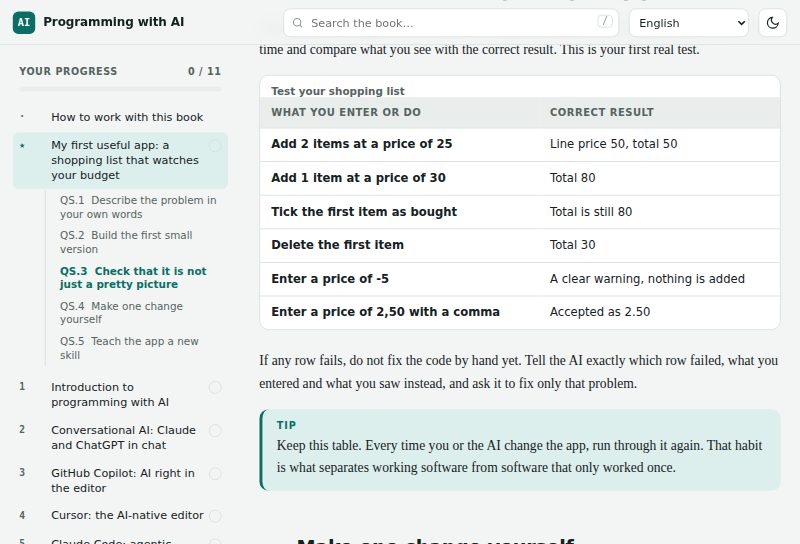
shopping.html. Open a plain text editor (Notepad on Windows, TextEdit in plain-text mode on a Mac), paste the code and save it as shopping.html. Choose 'All files' as the file type, not 'Text document'.shopping.html.txt. It then opens as text and you see the code instead of the app. Turn on file extensions in your file manager and rename the file so it ends in .html only.An app that looks right is not the same as an app that works. Go through this table one row at a time and compare what you see with the correct result. This is your first real test.
| What you enter or do | Correct result |
|---|---|
| Add 2 items at a price of 25 | Line price 50, total 50 |
| Add 1 item at a price of 30 | Total 80 |
| Tick the first item as bought | Total is still 80 |
| Delete the first item | Total 30 |
| Enter a price of -5 | A clear warning, nothing is added |
| Enter a price of 2,50 with a comma | Accepted as 2.50 |
If any row fails, do not fix the code by hand yet. Tell the AI exactly which row failed, what you entered and what you saw instead, and ask it to fix only that problem.
Now make your first change without the AI writing it for you. Ask the AI: 'Where in my code is the heading of the app?' It will point to a line that looks something like <h1>Shopping list</h1>.
shopping.html in your text editor and find the line the AI pointed to.<h1> and </h1> with your own title, for example 'Saturday shop'. Do not delete the angle brackets.Then ask the AI to explain your own file in three parts, using your code as the example. You will see that every web app is built from the same three layers:
Real programs grow in small steps. Add one new feature, then test again. Send the AI this follow-up in the same conversation:
Prompt: add a budget
Add a budget to my shopping list. Let me type the amount I want to spend. Show how much is left. If the total goes over the budget, show a clear warning with the amount by which I am over. Keep everything else working exactly as before, and show me the complete updated file.
| What you enter or do | Correct result |
|---|---|
| Budget 100, items totalling 80 | 20 left, no warning |
| Add an item for 30 | Warning: over budget by 10 |
| Delete that item | 20 left, warning disappears |
You have now built, run, tested and changed a real app. That is not the whole of programming, but it is the routine you will repeat in every lesson that follows: describe clearly, let the AI generate, check against expected results, and change one thing at a time.
Start with a clear brief, choose suitable AI tools and use practical prompts as you develop.
Learn how to review AI generated code, write tests and address security before release.
Use the exercises, review questions, glossary and prompt library as you work on your own projects.
Work one to one on your own digital product, website, automation or software idea. Learn how to structure it, use AI effectively, test it, debug it, deploy it and prepare it for real users.
Examples: quote calculators, booking systems, stock trackers, digital products, AI assisted workflows and software prototypes.
See AI CoachingLeave your email and you get the prompts straight away, plus a few practical tips about building software with AI. No spam, and you can unsubscribe at any time.
Thank you, you are subscribed. Here are your 5 prompts:
I want to build a small app. Ask me up to 5 short questions about what it should do, then write the rules as a numbered list: what I enter, what the app calculates, and how I will know it works. Do not write any code yet.
Using the rules above, create the app as a single HTML file with the CSS and JavaScript inside it and no external libraries. First explain your plan in 3 sentences, then give the complete code and exact steps to save and open it.
Write a test table for this app with 8 rows: what I enter or do, and the exact result I should see. Include wrong inputs such as empty fields, negative numbers and text in number fields.
Row [number] of my test table fails. I entered [input] and expected [expected], but I saw [actual]. Fix only this problem, explain the cause in one sentence and show me only the lines that change.
Explain this code to a complete beginner. Split it into HTML, CSS and JavaScript, say what each part does in one or two sentences, and point out the one line I should change to rename the app.
For one payment of £5.99 you receive every language edition you selected before payment, up to three in total, as downloadable interactive PDF files. The same purchase also includes the Digital Product Licence, Prompt Library and START HERE file.
Choose any 1, 2 or 3 language editions from the 20 available. The total is £5.99 in each case. Select the languages before paying.
You pay on SumUp's secure payment page. As soon as payment is confirmed, you return to ABCDayZ and can download each selected PDF or one complete package containing your purchased PDFs, licence and Prompt Library. Your personal access link lets you download them again later.